For owner-builders · post-frame & barndominium
Your build, already sequenced — before you blow the budget.
You're building your own home as your own GC. Sign up and your whole post-frame schedule already exists — every task, dependency, and inspection gate — with a budget that tracks labor, the half a spreadsheet forgets. You just check off the work; it tells you what's next.
What you can do right now
Finish a task → the next unlocks. Pass a gate → a lender draw goes live.
Most first-time barndo builds run past the budget.
The tooling is half the reason. A spreadsheet can't tell you the slab waits on the rough-in. This was built so it can.
Why owner-builders leave the spreadsheet
Three things every other option gets wrong for a one-home build.
The spreadsheet that fell apart in week two
A schedule that already knows your build
We ship the post-frame sequence pre-wired — 97 tasks, 163 dependencies, 12 inspection gates. Not a blank grid you have to build — and your old budget spreadsheet imports via CSV, so nothing is retyped.
$79–$300/mo for contractor software
Priced for one build, not a business
Pro tools are built for ten jobs — portals, proposals, CRMs you'll never open. You're building one home. Pay like it.
A blank Gantt chart and a YouTube tutorial
No setup project, just your project
Your first login already shows what to start this week — and what's blocked until the inspector signs off.
It runs the whole build for you
The schedule reacts as you work — so you're never guessing what's next.
- 1
Sign up — it's already built
Pick post-frame and your full schedule, dependencies, and inspection gates load instantly. No setup project, no blank Gantt chart.
- 2
Check off the work
Mark a task done and the next one unlocks. Pass an inspection and a whole phase opens up. Log costs as you go.
- 3
Stay ahead of the money
A labor-aware budget warns before you overspend, and assembles clean draw packages your lender can actually use.
The three differentiators
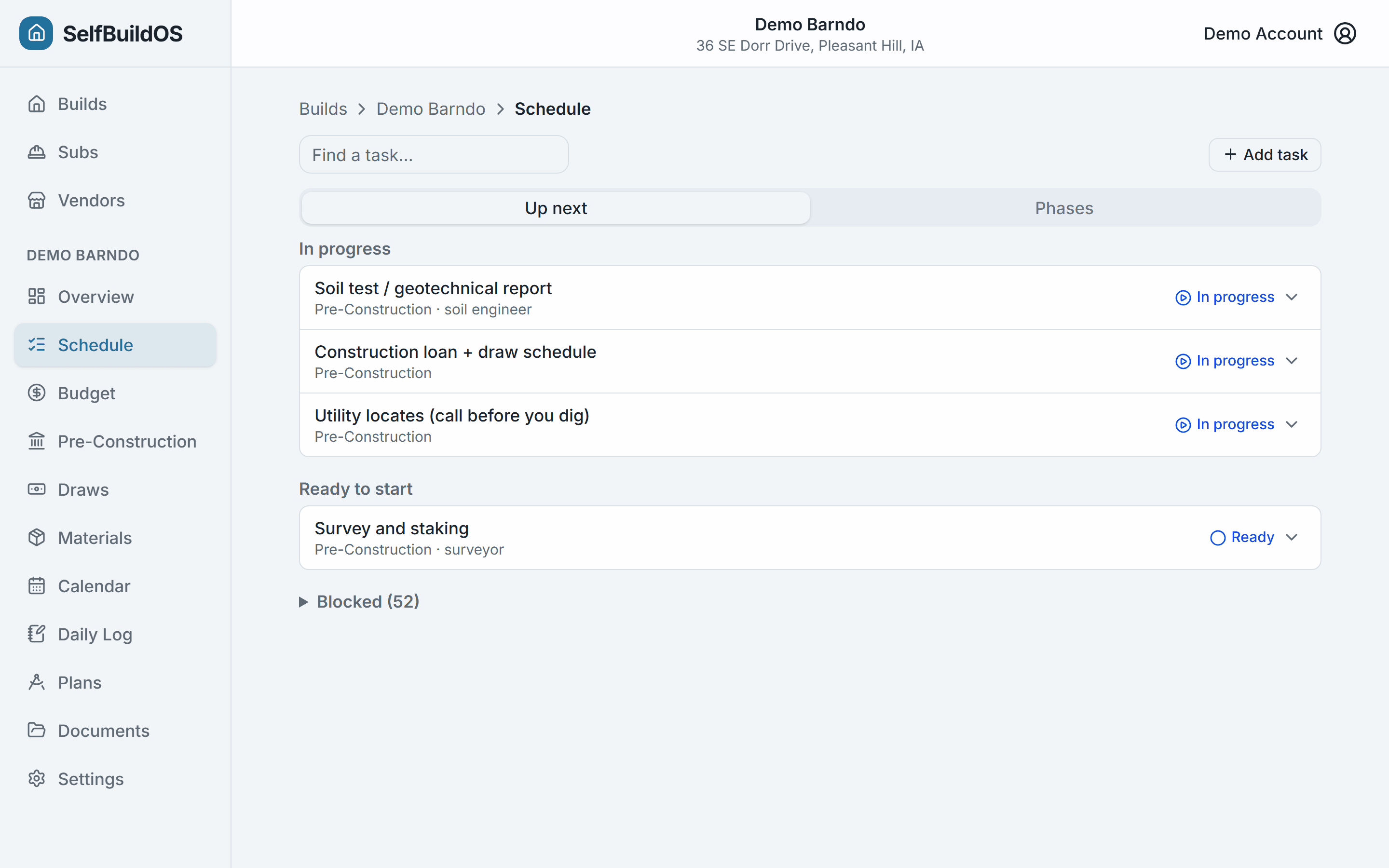
Always know what to build next
The Up Next view answers the only question that matters each morning: what can I start, and what's blocked? Finish a task and watch it unlock the next one — pass an inspection and a whole phase opens up.
- 97 post-frame tasks with 163 dependencies, pre-wired on day one
- Inspection gates block downstream work — exactly like your inspector does
- Fail an inspection? Correction notes, a reinspect-by date, and a one-tap reschedule
- Long-lead warnings: windows ordered in pre-construction, not panic-ordered at shell
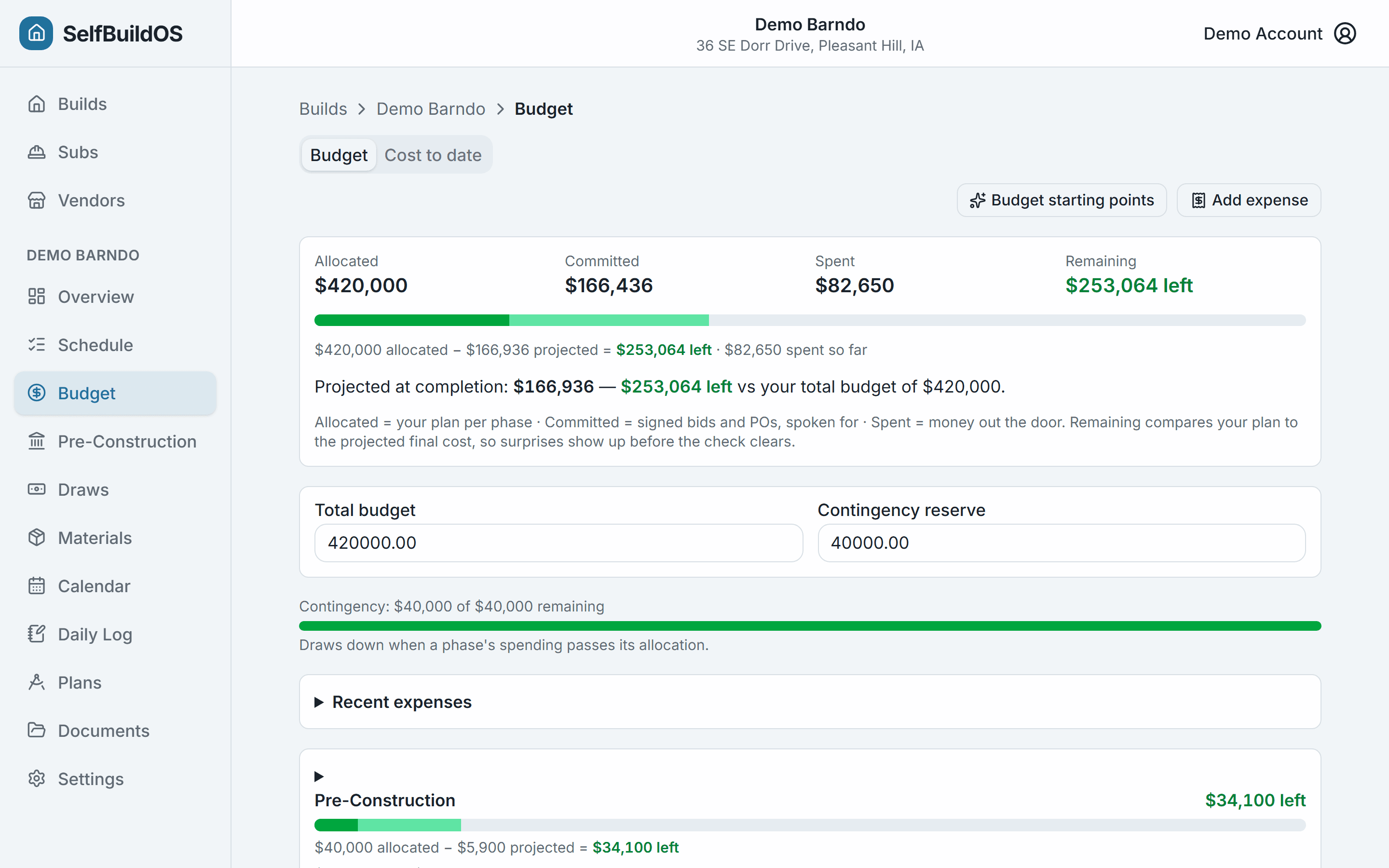
A real budget number, before the money's gone
Start from post-frame benchmarks instead of a blank sheet, then track three numbers per phase — Allocated, Committed, Actual — including subcontractor labor, the half of your build that every spreadsheet template ignores.
- Seed phase allocations from curated benchmarks — or import your existing spreadsheet via CSV
- Budget warning fires when you've signed up to overspend — before you've spent it
- Sub bids and payments tracked right next to materials
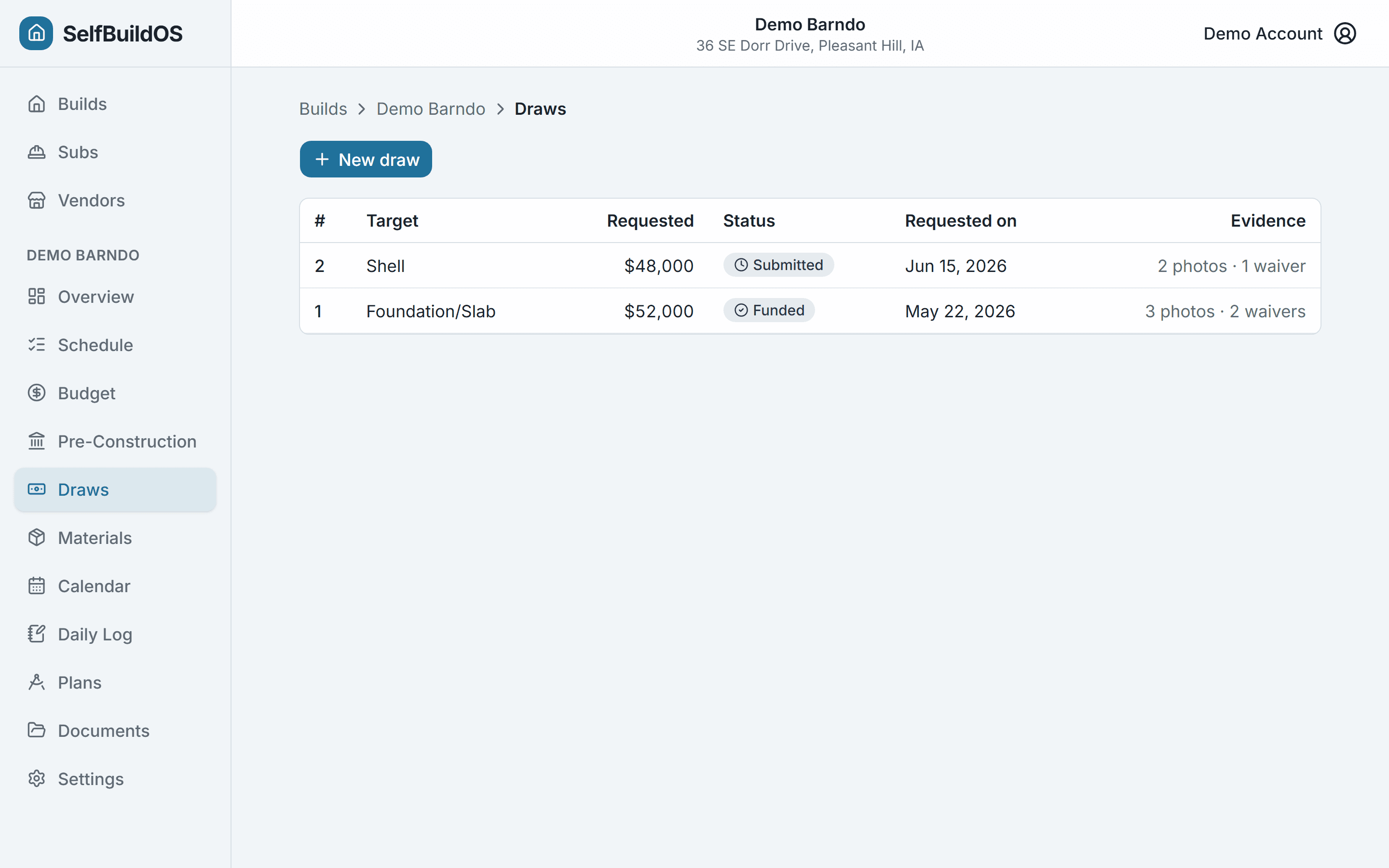
Hand your lender a clean draw, every time
A draw is a request to release loan funds at a milestone — and the #1 reason they get rejected is missing paperwork. Assemble the cost-to-date, the photos, and the lien waivers, and export a package your bank can actually use.
- Borrower-side Schedule of Values built from your real budget rollup
- Tag the photos and lien waivers that prove the work to each draw
- Loan drawn vs. remaining, tracked as each draw funds
- Export a per-draw CSV or print-to-PDF package for the lender
Everything your build needs, in one place
Not a generic task tracker with construction stickers. Purpose-built for an owner-builder running a single self-build, end to end.
Materials, ordered and tracked
A takeoff grid, a vendor-grouped shopping list, and purchase orders with delivery countdowns and late flags.
Your plans, on site
Page through the set, zoom into details, drop annotations, save the views you keep returning to, and slip-sheet revisions without losing your notes.
Trades, bids, and your calendar
Compare sub bids side by side and accept one — the budget commitment books itself. A needs-a-bid radar flags the next trade to hire, and appointments push to your Google Calendar.
A daily log that backs you up
A dated site journal with the weather captured automatically — the record that settles schedule slips and payment disputes.
Every document, filed
Contracts, COIs, permits, and warranties in one place — filed against the sub or phase they belong to, with a one-click closeout binder.
Selection Management
Compare vanities, flooring, and fixtures side by side — photos, prices, links. Pick one and it lands in your takeoff and budget, tracked against the group's allowance.
Where SelfBuildOS fits
More capable than the spreadsheet you'd outgrow. Simpler and far cheaper than the contractor software you don't need.
| Capability | SelfBuildOS$19.99/mo | Budget spreadsheet~$50 once | Pro contractor tools$79–$300/mo |
|---|---|---|---|
| Post-frame schedule, pre-sequenced | Blank / DIY | ||
| Task dependencies + inspection gates | |||
| Three-layer budget, labor included | Manual | ||
| Budget seeded from real benchmarks | Static | Some | |
| Import your existing budget & takeoff spreadsheet | Some | ||
| Side-by-side bid comparison + needs-a-bid alerts | Manual | ||
| Materials takeoff, POs, delivery tracking | Manual | ||
| Borrower-side loan draw packages | Manual | ||
| Plan viewer, markup & versioning | Some | ||
| Daily log with automatic weather | |||
| Document store + expiry reminders | |||
| Built for one owner-builder — no CRM/portal bloat |
Comparison reflects the owner-builder use case. Pro tools are powerful but priced and built for contractors running many jobs — the invoicing, proposals, CRM, and client portals are friction you'd never use on your own build.
Built different
Built on a real build, not a roadmap
SelfBuildOS is made by an owner-builder running his own post-frame home on it — the same schedule, the same budget. When something doesn't work on the job site, it gets fixed, because it has to.
Every feature earns its place
If a screen doesn't help run a real post-frame build, it isn't here. The roadmap is whatever the build needs next.
No bloat, by design
No client portal, no proposals, no CRM. The things pro tools sell you are the things an owner-builder never opens.
The domain is the product
The post-frame sequence, the inspection gates, the labor-aware budget — that's hard-won knowledge, shipped as defaults.
Priced with the barndo community in mind — community discount codes work here.
Simple pricing
One plan. Priced for one build.
$19.99/mo at launch
Every plan starts with a free trial, and every plan gets every feature — the moat is domain knowledge, not a paywall.
Questions, answered
- No — that's the point. You don't build the schedule; it's already built from a post-frame template refined on a real build. You check off work as it happens, and the app tells you what's unlocked next. If you can use a checklist, you can run this.
Ready to run your build like you mean it?
Sign up, and your post-frame schedule is waiting — sequenced, gated, and budgeted. Every plan starts with a 14-day free trial.
Start your buildCancel anytime — especially at your certificate of occupancy.